Goodcard - Debitrak#
Debitrak (Cashless Food and Drink Payments)#
Debitrak is the College’s cashless payment system that enables you to buy food and drink using your Goodcard. These instructions guide you through the process of setting up and adding funds to Debitrak (topping up.) As Debitrak and Papercut are completely separate applications made by different companies, they must be topped up separately - The balance is not shared between Debitrak and Papercut.
Setting Up Your Goodcard For Debitrak#
The Debitrak system uses your Windows Username and Password to login. All Members and Occupants are assigned these login credentials shortly after they arrive. Before you can use your Goodcard with Debitrak, you need to have logged in at least once on a PC in one of the Media Rooms. This is done for security reasons, so that you can change the password from the default to something only you know before any money is added to the card. If you have used your Windows account before, then you will have already changed your password and you don’t need to do so again.
Accessing The Debitrak Cashless Card Portal#
The Debitrak Cashless Card Portal is a website that automatically scales so that it will work well on laptops, tablets and smartphones. To access it, open a browser and go to: https://debitrak.goodenough.ac.uk/
These instructions and screenshots refer to the site when it is viewed in Landscape orientation on a computer screen. The layout will look slightly different when viewed on a Smartphone in Portrait orientation.
-debi

 Card Mgt & Top Up
GOODENOUGH COLLEGE
G1513184
Your Goodcard Find out more about your Goodcard, what it’s for, and where it can be used
Go»
Contact Us Contact us if you have a problem with your card, the Debitrak Card Portal or if you loose your Goodcard
Go*
At the right end of the Menu Bar, is the red Log On Button. Click it.
Log in.#
Enter your G Number and password to login
User Name □
Password □
Forgot your password?
When prompted, type in your login details. These are the same ones that you use to login to Windows in the Media Rooms.
Your Username is your G-Number and your Password is your Windows password.
You will then be returned to the Home page. You can tell that you are now logged in because the red Log On button has now changed into a green Log Off button. Don’t click it yet though!

The Debitrak Front Page#
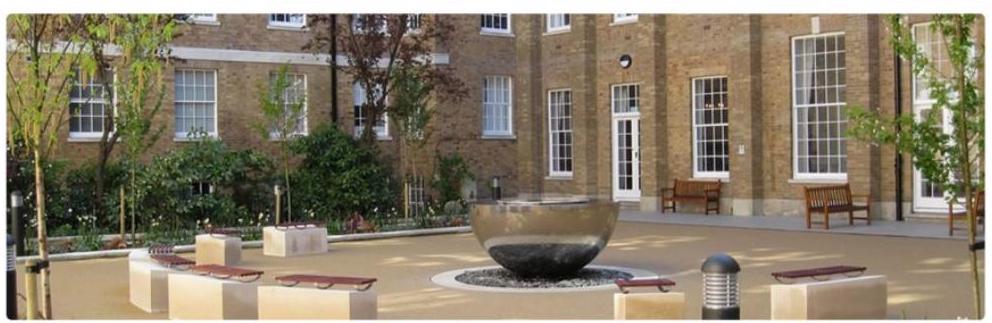
The front page consists of a Menu Bar, a lovely photo of Fountain Quad and three options to choose from at the bottom of the page:
Card Management and Top Up allows you to check your balance and topup your funds, Your Goodcard gives you details about what Goodcards are and what they can be used for.
Contact Us provides details of how to get support if you are having problems with the website.
Checking Balances And Topping Up#
On the Home page, click on the Card Mgt. & Top Up button.
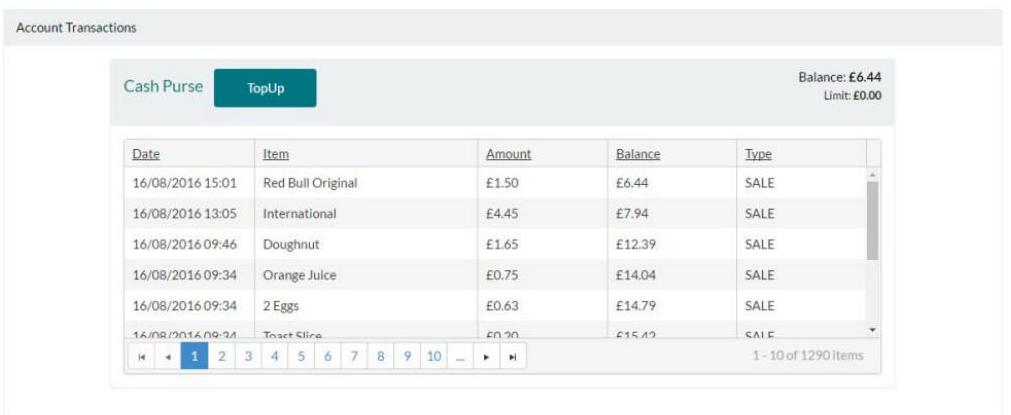
You can now view your account balance and your existing transactions.
If you wish to add money to your card, click on the Top $U p$ button.
Top Ups can only be done using Mastercard or Visa.
Masteverente
VISA

Other Credit or Debit cards are not accepted.
There is a choice of 7 top up amounts: $£ 10, £ 20, £ 30, £ 40, £ 50, £ 100$ or £150 but you can only purchase 1 topup item at a time.
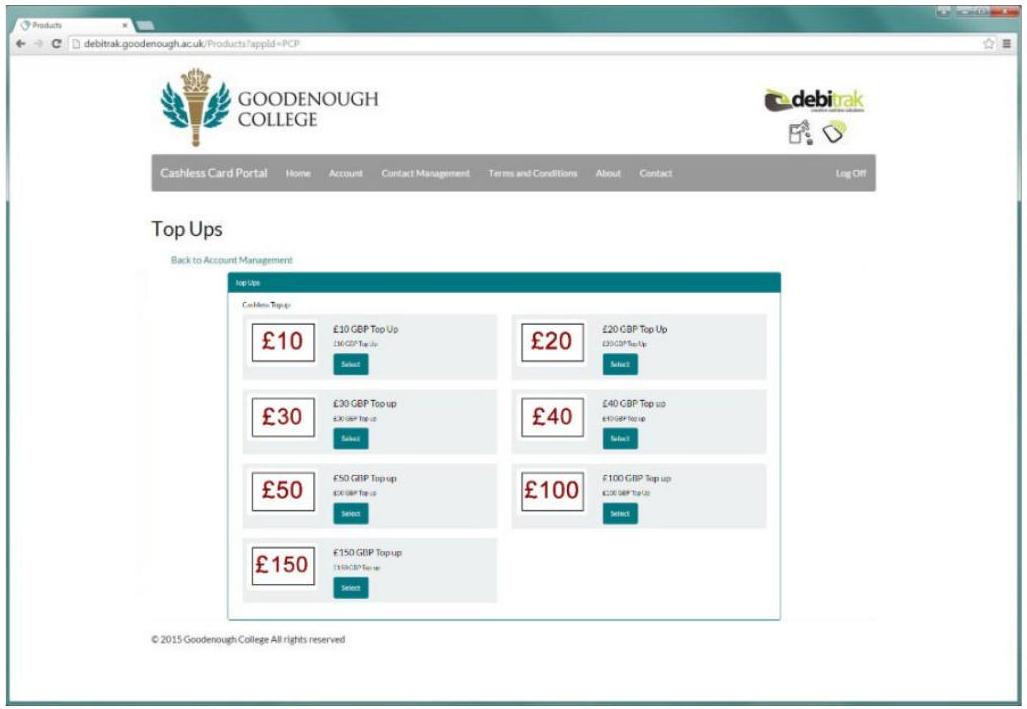
You will only be able to purchase 1 item in each transaction so if you want to buy a meal plan and also put some funds onto your card; you will have to do a transaction for the top up and another one for the meal plan.
After you have made your selection, you will be taken through the payment stages where enter your card details.
At the final stage you will have opportunity to review your purchase in case you wish to change anything.
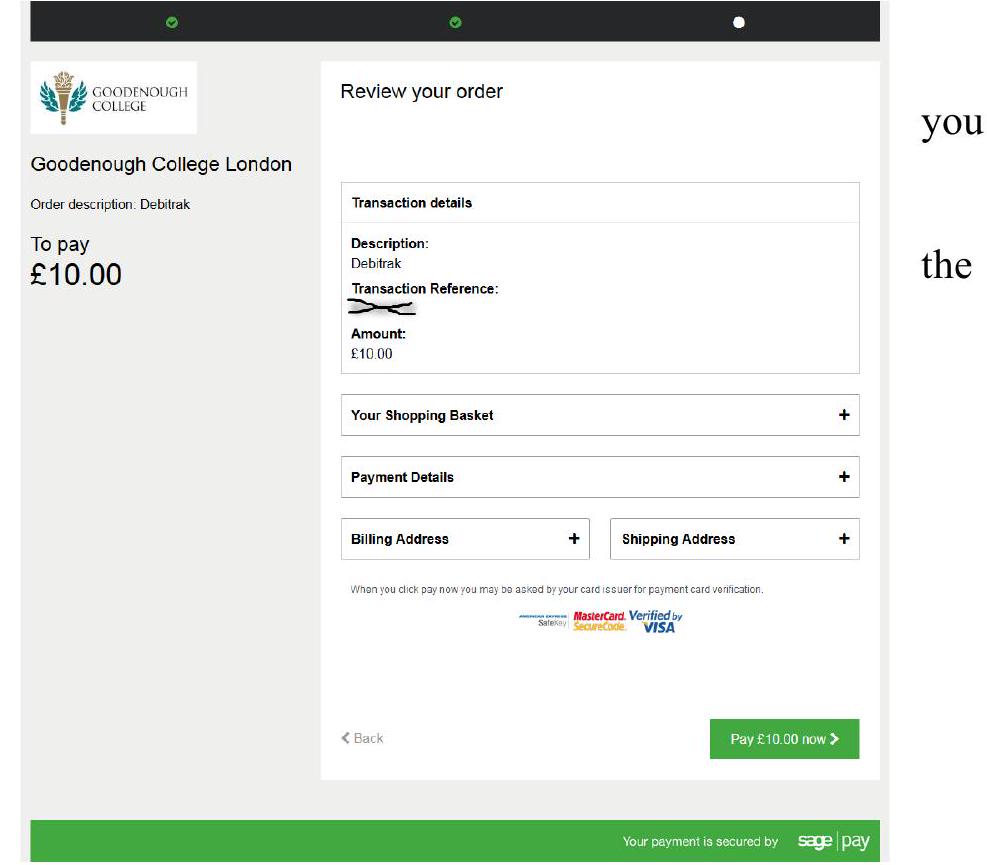
To continue; click the Pay Now and you will be redirected to your card provider’s own 3D Secure verification system (Verified by Visa or Mastercard Securecode) if your card supports this feature.
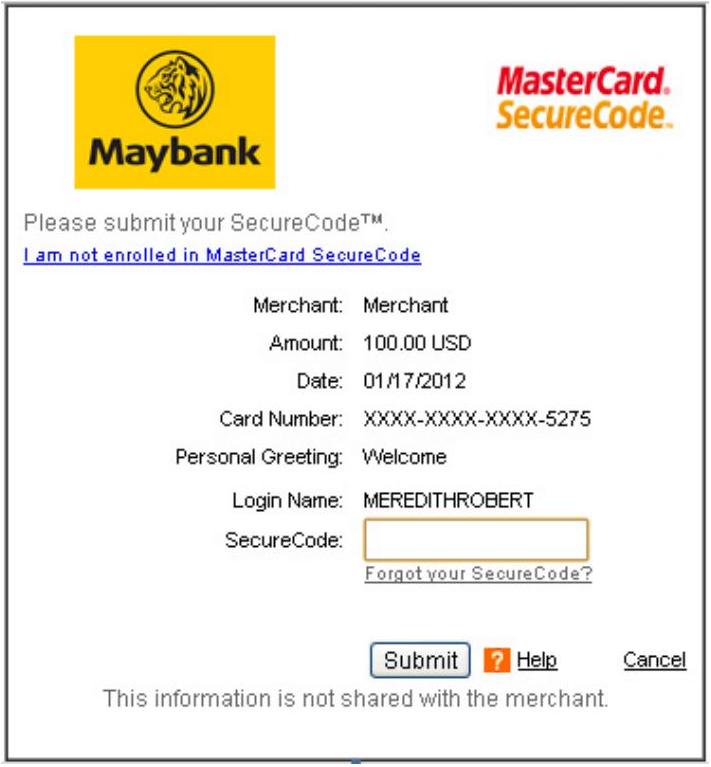
Each bank has their own unique design and so yours will look similar (but not identical) to the examples below.
Once you have completed 3D Secure, you will be returned to Debitrak after a short time.

Success#
Your payment completed successfully. You will be r Account Transactions
© 2017 Goodenough College. All rights reserved#
The purchase process is now complete.
You will be returned to the Card Mgt. & Top Up page. The Top Up will now appear on your list of transactions
 and a receipt will be emailed to you.
Logging Off#
Remember to click Log Off on the menu bar before closing your browser.
Meal Plans#
If you are dining in the College regularly, you may want to consider one of the prepaid meal plan options in addition to the “cash” that you store on your card.
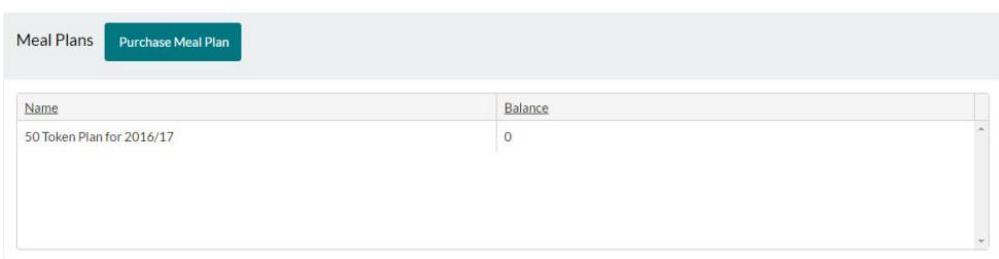
To purchase meal plan tokens, click on Card Mgt. & Top Up on the home page.

| Name | Balance |
|---|
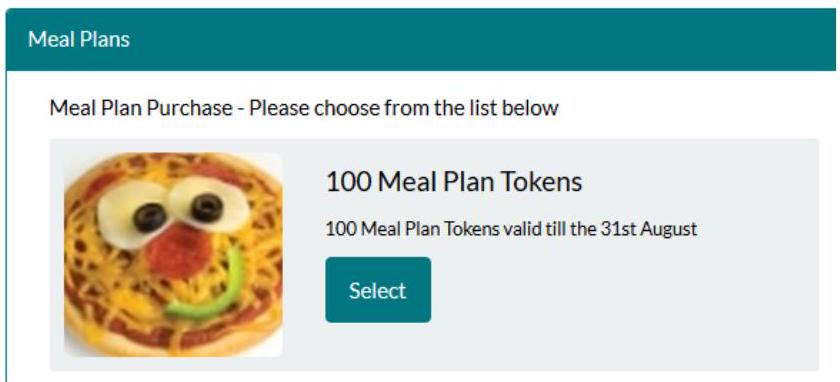
Click Purchase Meal Plan.
Meal Plans#
Back to Account Management#
Back to Products List#
Basket#

100 Meal Plan Tokens#
100 meal plan tokens which after purchase can be used in all breakfast, lunch and dinner services. 1 token for a set breakfast and 2 tokens for a lunch or dinner main course.
VISA
All credit and debit cardholders are subject to validation checks and authorisation by the card issuer. Vouchers cannot be processed without full payment and the credit or debit card has been authorised.
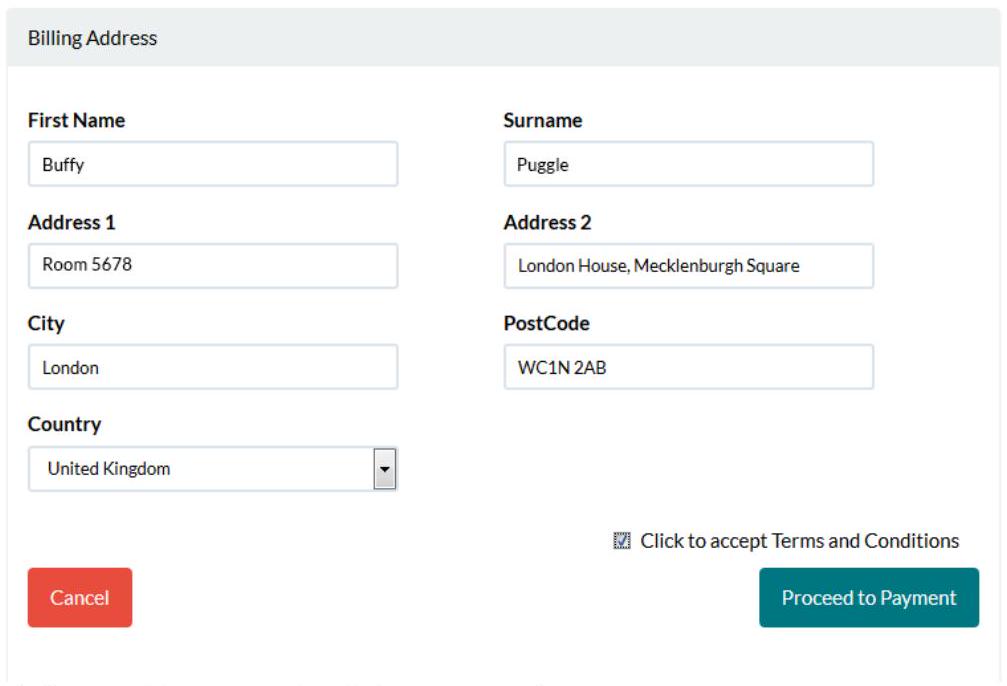
Fill in your credit or debit card’s billing address and click Proceed to Payment.
Click on the appropriate credit or debit card from Visa or Mastercard.

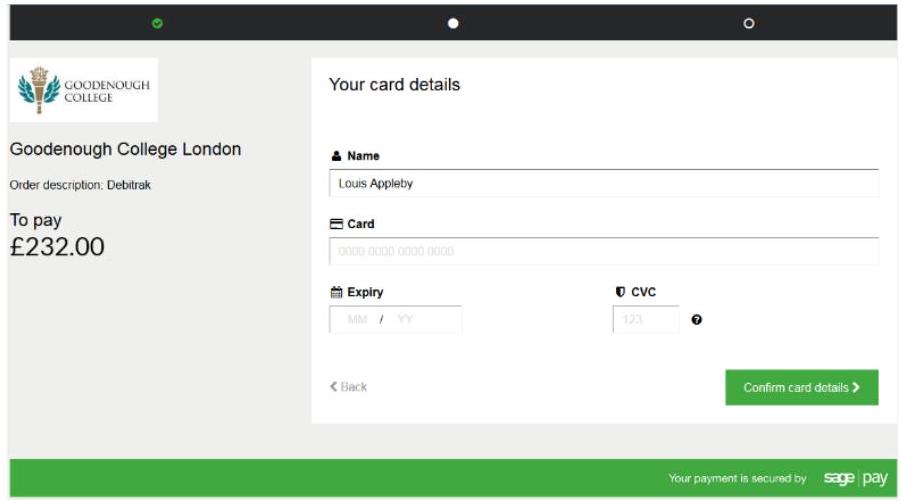
Enter your card details and then click Confirm Card Details.
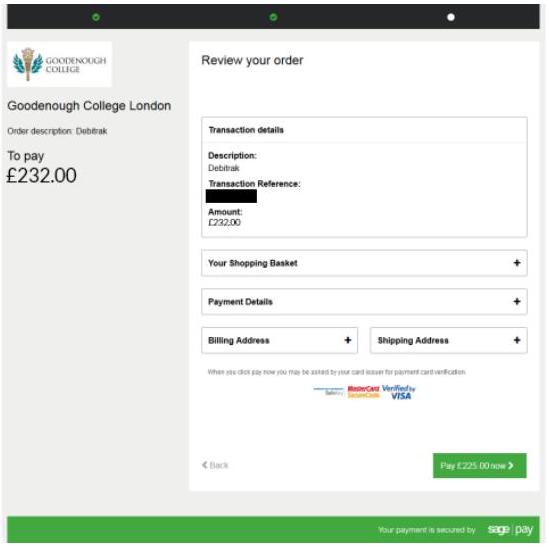
To continue, click the Pay Now and you will be redirected to your card provider’s own 3D Secure verification system (Verified by Visa or Mastercard Securecode) if your card supports this feature.
Each bank has their own unique design and so yours will look similar (but not identical) to the examples below.
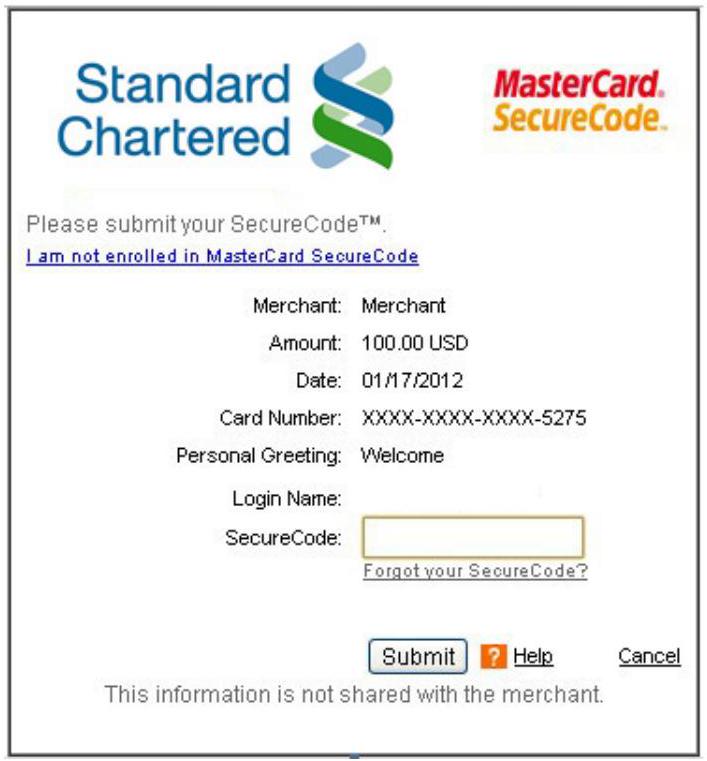
Verified by VISA
BARCLAYS
Please submit your Verified by Visa Password.
Merchant: Loco2
Amount: GBP 1.50
Date: 15:07:09
Card number: XXXX XXXX XXXX 3494
Your Personal Greeting: An Example
Please enter the $4^{\text {th }}, 5^{\text {th }}$ and
$\mathbf{9}^{\text {th }}$ characters of your Verified
 by Visa Password:
Forgot your Verified by VisaPassword?
PLEASE NOTE: We will never request your security details by email. If you receive any suspicious emails, please forward them to phishing@hsbc.com.
Strengthen your defence against online fraud. Download free fraud protection software today from www.hsbc.co.uk/security Submit ? Help Cancel © Copyright 2004, Visa U.S.A. All rights reserved.
Once you have completed Verified by Visa or Mastercard Securecode, you will be returned to Debitrak after a short time.
The purchase process is now complete.
Success#
Account Transactions#
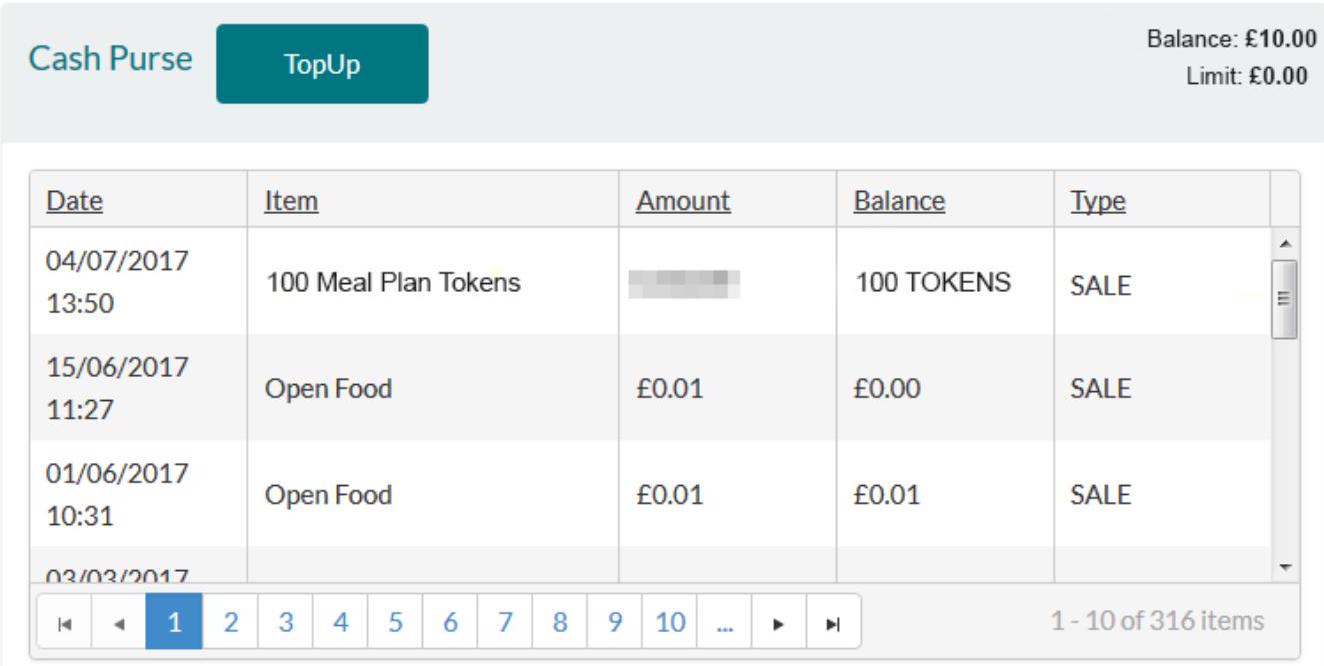
You will be returned to the Card Mgt & Top Up page. The meal plan tokens will now appear on your list of transactions and a receipt will be emailed to you.
Logging Off#
Remember to click Log Off on the menu bar before closing your browser.